


QR Code
Chess - Play and Learn Online

Chess - Play and Learn Online Complete Game Guide

by Chess.com
(0 Reviews) April 14, 2024
Chess - Play and Learn Online Chess - Play and Learn Online Chess - Play and Learn Online Chess - Play and Learn Online Chess - Play and Learn Online

Latest Version

Update
April 14, 2024
Developer
Chess.com
Categories
Board
Platforms
Android Windows
Views
0
Package Name
com.chess
Visit Page

More About :game

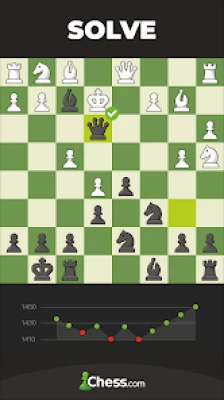
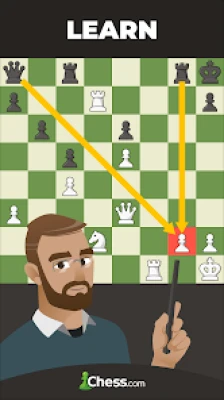
Chess - Play and Learn Online is a feature-rich chess platform that lets you play online, solve puzzles, study openings, challenge powerful AI opponents, and improve your skills through interactive lessons.

Chess - Play and Learn Online by Chess.com is one of the world's most popular chess platforms, offering online multiplayer matches, AI opponents, interactive lessons, puzzles, game analysis, and coaching tools. With more than 100 million downloads and a community exceeding 265 million players, it is suitable for complete beginners, club players, and experienced competitors alike.


Game Atmosphere

The game delivers a professional and immersive chess experience through:

  • Clean and modern interface
  • High-quality 2D and 3D chessboards
  • Smooth piece animations
  • Calm background sounds
  • Competitive online environment
  • Friendly learning tools
  • Worldwide multiplayer community

Whether you're relaxing with casual games or competing in rated tournaments, the atmosphere remains engaging and focused.


Gameplay Overview

Players can enjoy numerous game modes, including:

  • Live online chess
  • Daily correspondence chess
  • Offline games against AI
  • Puzzle Rush
  • Puzzle Battle
  • Chess960 (Fischer Random)
  • Bullet, Blitz, Rapid, and Classical games
  • Rated and casual matches
  • Tournaments
  • Lessons and coaching

The app also provides detailed game analysis, move suggestions, and personalized performance reviews to help players improve.


Main Features

  • Online multiplayer with millions of players
  • Powerful AI opponents
  • More than 500,000 chess puzzles
  • Interactive lessons
  • Game Review and analysis
  • Chess coach guidance
  • Global leaderboards
  • Daily tournaments
  • Opening explorer
  • Endgame practice
  • Multiple board themes
  • Cross-platform play
  • Offline chess mode


Controls

The controls are intuitive:

  • Tap a piece to select it.
  • Tap the destination square to move.
  • Drag-and-drop movement is also supported.
  • Pinch to zoom on supported devices.
  • Navigate menus with simple touch controls.

How to Play

  1. Create or sign in to your Chess.com account.
  2. Choose online, offline, or puzzle mode.
  3. Select your preferred time control.
  4. Play your match.
  5. Review mistakes using Game Review.
  6. Practice puzzles.
  7. Study lessons to improve your rating.

Beginner Guide

If you're new to chess:

  • Learn how each piece moves.
  • Control the center of the board.
  • Develop knights and bishops early.
  • Castle your king for safety.
  • Avoid moving the same piece repeatedly in the opening.
  • Solve daily puzzles.
  • Review every completed game.

Advanced Tips & Strategies

To continue improving:

  • Study common openings like:
    • Italian Game
    • Queen's Gambit
    • Sicilian Defense
    • French Defense
    • Caro-Kann
  • Analyze every loss.
  • Practice tactical puzzles daily.
  • Improve endgame technique.
  • Manage your clock efficiently.
  • Watch master games and tournaments.

Helpful Guidelines

For faster improvement:

  • Play slower time controls while learning.
  • Don't focus only on winning—learn from mistakes.
  • Use Game Review after every match.
  • Complete daily lessons and puzzles.
  • Practice against stronger opponents regularly.
  • Mix online games with AI practice.

Learning Resources Inside the App

The app includes:

  • Interactive beginner courses
  • Opening lessons
  • Tactical puzzles
  • Endgame training
  • Chess videos
  • Personalized coaching
  • Performance statistics
  • Game analysis

These tools make it one of the most comprehensive chess learning apps available.


Graphics & Audio

The presentation is polished with:

  • Multiple board themes
  • Custom chess pieces
  • Smooth animations
  • Professional interface
  • Optional sound effects
  • 3D chessboards

Performance

Chess - Play and Learn Online runs smoothly on most modern Android devices and synchronizes progress across supported platforms. Frequent updates introduce new features, bug fixes, and gameplay improvements.


Honest Player Feedback

What Players Like

  • Excellent learning resources
  • Huge online community
  • Strong AI opponents
  • Detailed game analysis
  • Massive puzzle collection
  • Reliable matchmaking
  • Frequent updates
  • High-quality interface

Areas That Could Improve

Many free users appreciate the app's core features but note that advanced analysis, unlimited puzzles, and premium lessons require a subscription. Recent reviews also mention an increase in advertisements for free accounts, although many still consider it one of the strongest chess apps available.


Pros

  • Massive global player base
  • Outstanding learning tools
  • Excellent AI opponents
  • Detailed game analysis
  • Daily puzzles
  • Multiple chess variants
  • Beginner-friendly
  • Cross-platform support

Cons

  • Several advanced features require a Premium subscription
  • Ads on the free version
  • Daily limits on some learning content
  • Premium plans may be expensive for casual players

Who Should Play?

This app is ideal for:

  • Beginners learning chess
  • Intermediate players improving tactics
  • Tournament competitors
  • Puzzle enthusiasts
  • Students
  • Coaches
  • Anyone interested in strategy games

Final Verdict

Chess - Play and Learn Online remains one of the best mobile chess platforms available. Its combination of online competition, extensive learning materials, powerful analysis tools, and active global community makes it an excellent choice for players at every skill level. While some premium features require a subscription, the free version still provides substantial value for learning and enjoying chess.

Overall Rating: 9.7/10


Frequently Asked Questions

Is Chess - Play and Learn Online free?

Yes. The app is free to download and includes optional Premium memberships that unlock additional lessons, puzzles, and analysis tools.

Can I play offline?

Yes. You can play against AI opponents offline, while online multiplayer requires an internet connection.

Does the app include chess lessons?

Yes. It offers hundreds of interactive lessons, videos, puzzles, and coaching tools for players of all levels.

Can beginners use this app?

Absolutely. The tutorials, guided lessons, and adjustable AI difficulty make it one of the best apps for learning chess.

Does it support multiplayer?

Yes. You can play live or daily games against friends or players from around the world.


YouTube Gameplay

Watch gameplay, tutorials, opening guides, puzzle walkthroughs, and strategy lessons:

Rate the Game

Add Comment & Review

User Reviews

Based on 0 reviews
5 Star
0
4 Star
0
3 Star
0
2 Star
0
1 Star
0
Add Comment & Review
We'll never share your email with anyone else.